

Invoices & Credit notes
It is now possible to set up a default ‘Due date’ for the Quote Invoice in ‘Settings’ > ‘General settings’ > ‘Sales Module’ tab.
The setting consists of 2 fields:

-
Input with the number of days
-
Dropdown with the following options:
-
after issue date - number of days after the invoice issue date
-
after invoice date - number of days after the invoice date
-
before flight - number of days before the first flight within the request
-
As you can see in the example below, the Invoice due date was set to 7 days after the invoice date:
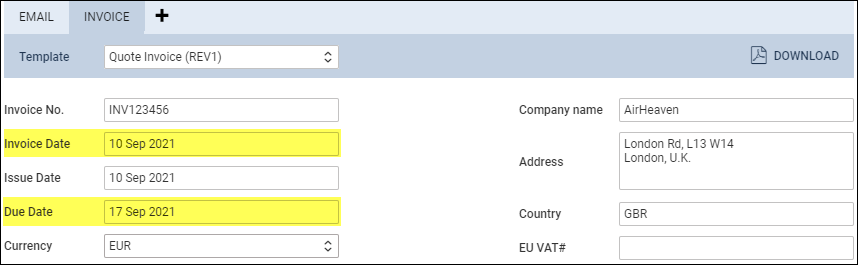
By default, the ‘Due date’ is set to 10 days after issue date. This setting also applies to ‘Credit Notes’