

APPROVING FTL VIOLATIONS
Leon allows approving FTL violations and showing this information in the FTL Calculations section (in both OPS & CREW CALENDAR/CREW TIMELINE panels.)
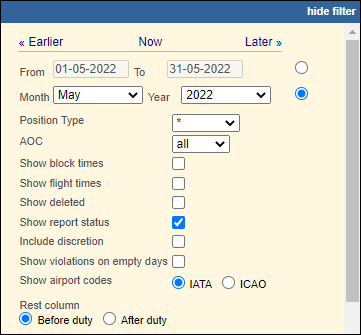
The 1st step is approving the FTL violation in the FTL Violations report. Open this report‘s filter (in top-right corner of the page), mark a checkbox Show report status and click ’Show’.
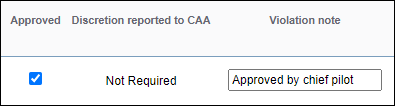
On the right-hand side of this report, Leon will show a column Approved with a checkbox, which needs to be marked. It is also possible to insert a ‘violation note’.
Once it’s done, in a tab CREW > FTL Calculations of the OPS panel, Leon will show the approved FTL Violation.
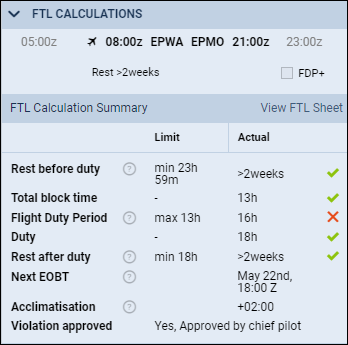
The same information will show in CREW CALENDAR/CREW TIMELIINE panels, when right-clicking over the duty and selecting ‘FTL Details’.