

Copying Trip
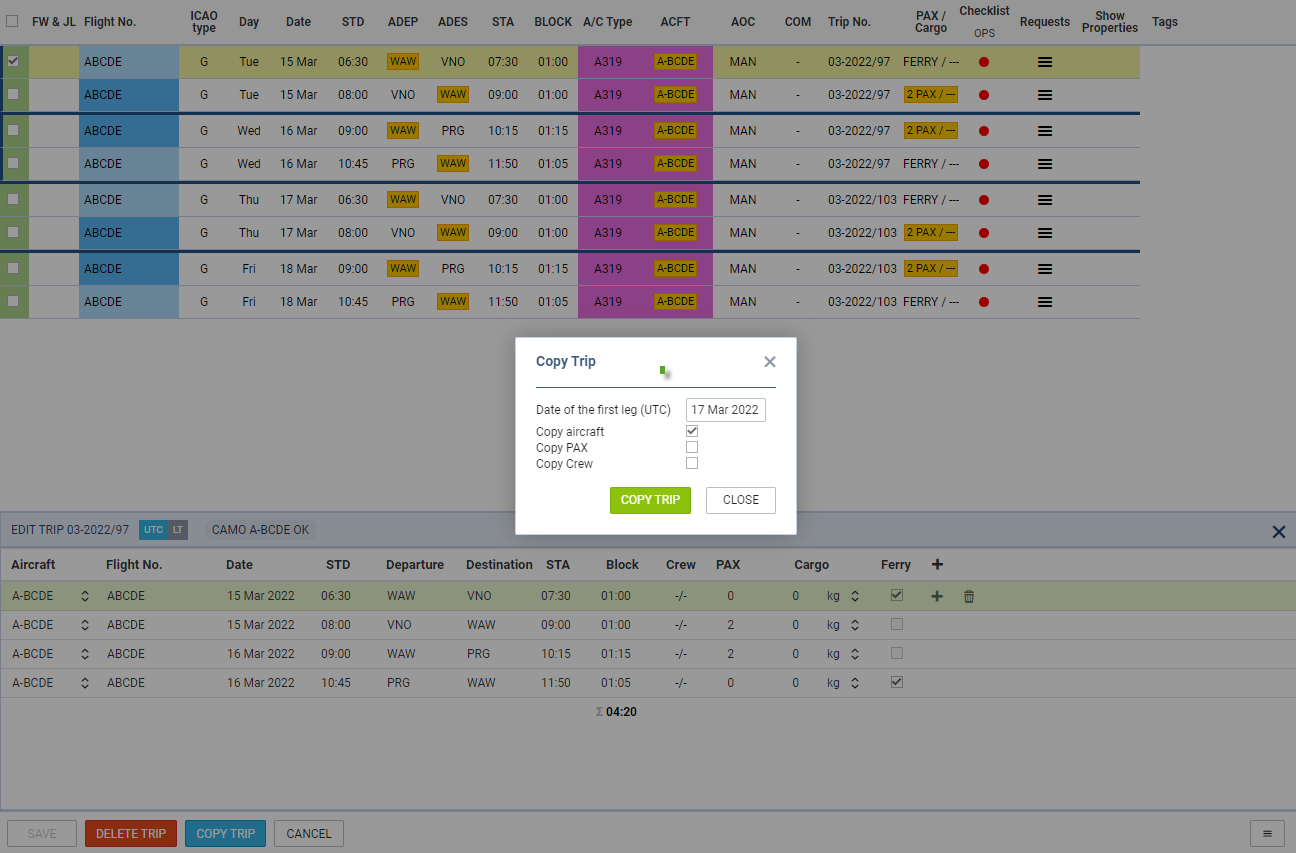
It is possible to copy the whole trip in the OPS sections.
In order to copy a trip you need to perform the following steps:
-
Select the trip
-
Click on the ‘EDIT TRIP’ button (bottom of the page)
-
Click on the ‘COPY TRIP’ button in the ‘Edit Trip’ section
-
Select the details that should be copied in the ‘Copy Trip’ pop-up window
-
Once the ‘COPY TRIP’ button is clicked in the ‘Copy Trip’ window, the trip will be copied
As presented in the screenshot, trip no 03-2022/97 was copied selecting the start date of the first leg on 17-03-2022 (new trip no 03-2022/103).