

Changing the price in ‘Price’ quoting mode
Table of Contents
It is possible to amend the price in the ‘Price’ quoting mode.
There are two possible scenarios when the final price is updated:
-
Price increased - the value of the ‘Extra Fee’ element of the price list is added and recalculated automatically. If the original quote included both ‘Extra Fee’ and ‘Discount’ upon increasing the price these 2 elements are replaced by the new ‘Extra Fee’ element of the price list.
-
Price reduced - the value of the ‘Discount’ element of the price list is added and recalculated automatically. If the original quote included both ‘Extra Fee’ and ‘Discount’ upon reducing the price these 2 elements are replaced by the new ‘Discount’ element of the price list.
If the price increase/reduction are within the ‘Extra Fee’/‘Discount’ elements values respectively, Leon only recalculates the value of the elements’ price rather than replacing them.
Examples
Below, there are examples presented for each of the scenarios.
Price increased
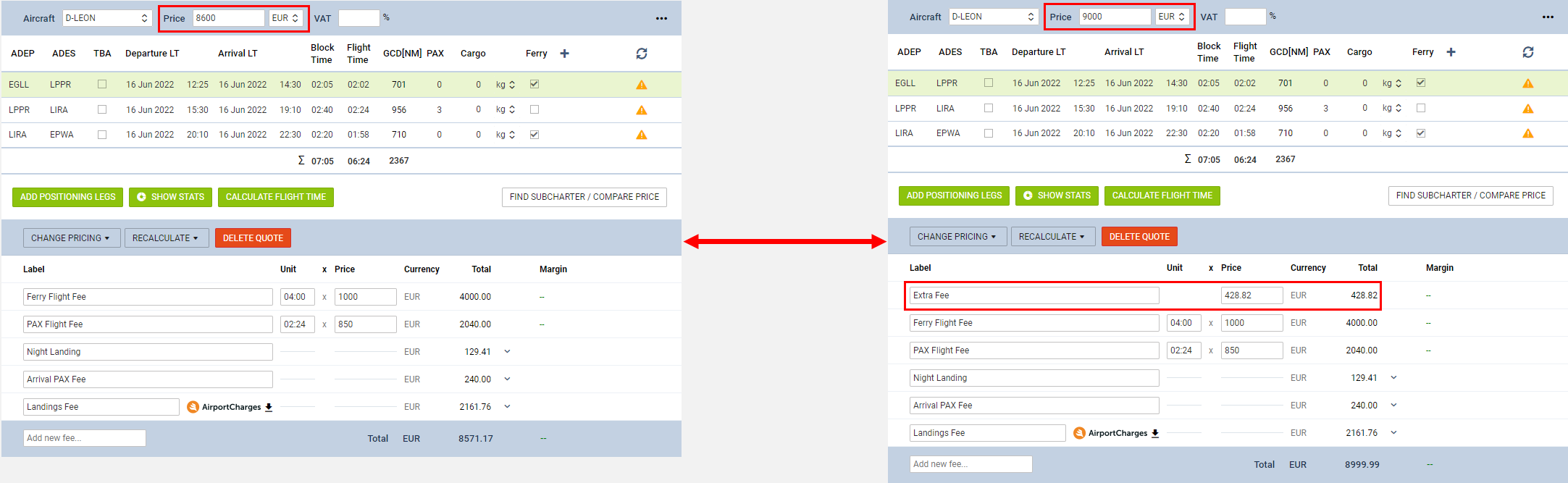
Example 1
In the screenshot on the right-hand side, the price is increased from €8600 to €9000.
The ‘Extra Fee’ element of the price list was added and recalculated based on the new Final Price.
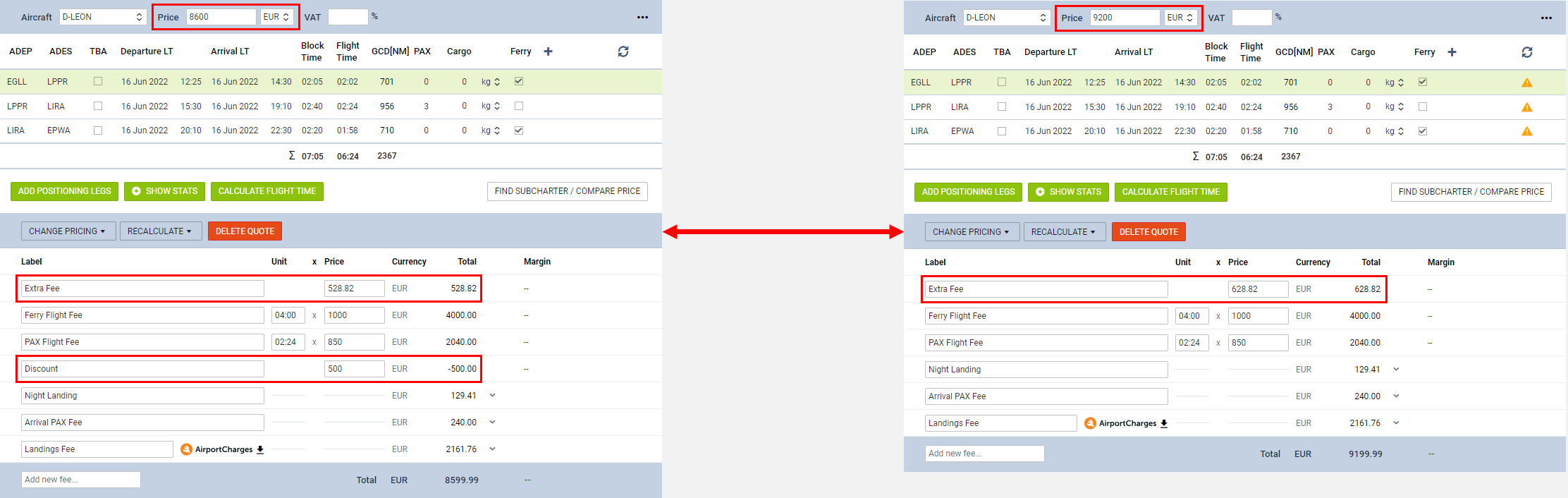
Example 2
In the screenshot on the right-hand side, the price is increased from €8600 to €9100.
Because the increase is higher (€600) than the value of the ‘Discount’ (€500), the ‘Extra Fee’ and the ‘Discount’ elements of the original price list are replaced by a single ‘Extra Fee’ element with the recalculated value.
Price reduced
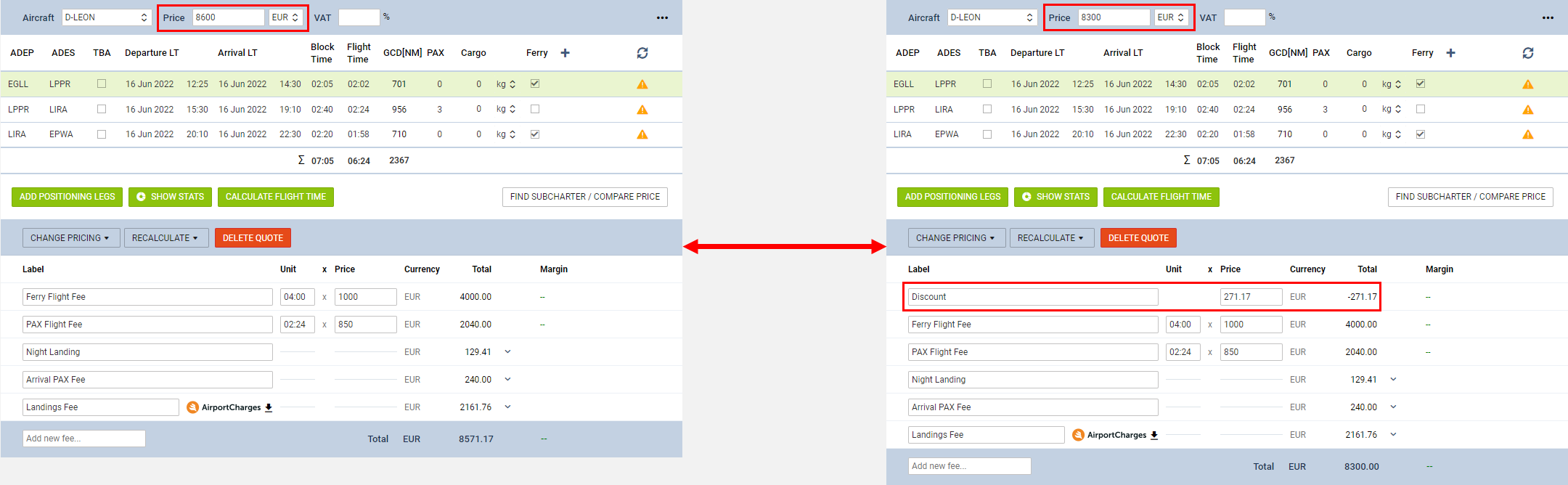
Example 1
In the screenshot on the right-hand side, the price is reduced from €8600 to €8300.
The ‘Discount’ element of the price list was added and recalculated based on the new Final Price.
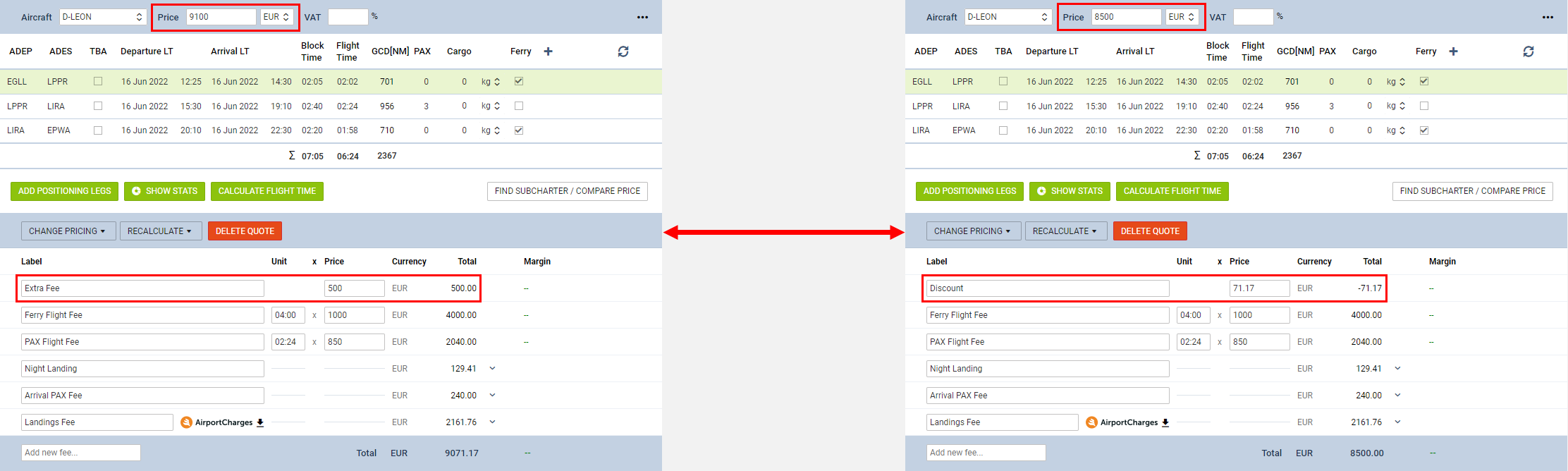
Example 2
In the screenshot on the right-hand side, the price is reduced from €9100 to €8500.
Because the reduction is higher (€600) than the value of the ‘Extra Fee’ (€500), the ‘Extra Fee’ element of the original price list is replaced by a single ‘Discount’ element with the recalculated value.