

Crew fatigue monitoring in Crew Timeline
LEON is able to monitor Crew fatigue in the Crew Timeline panel, with the help of Safte-Fast integration. Before, it was possible to check crew fatigue analysis for a single crew (by right-clicking with the mouse over his/her code) - now it is also possible to check it for all crew, in a selected period of time.
Once the integration with ‘Safte-Fast’ is enabled, in the top-right corner of the page an icon 
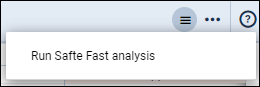
To show the level of Crew fatigue, Leon will highlight lines in either orange or red colour.
Orange colour of the line indicates:

Effectiveness ≤ 77
Reservoir ≤ 77
Percent below criterion › 10
Red colour of the line indicates:

Effectiveness ≤ 65
Reservoir ≤ 65
Percent below criterion › 20