

Tagging Invoice
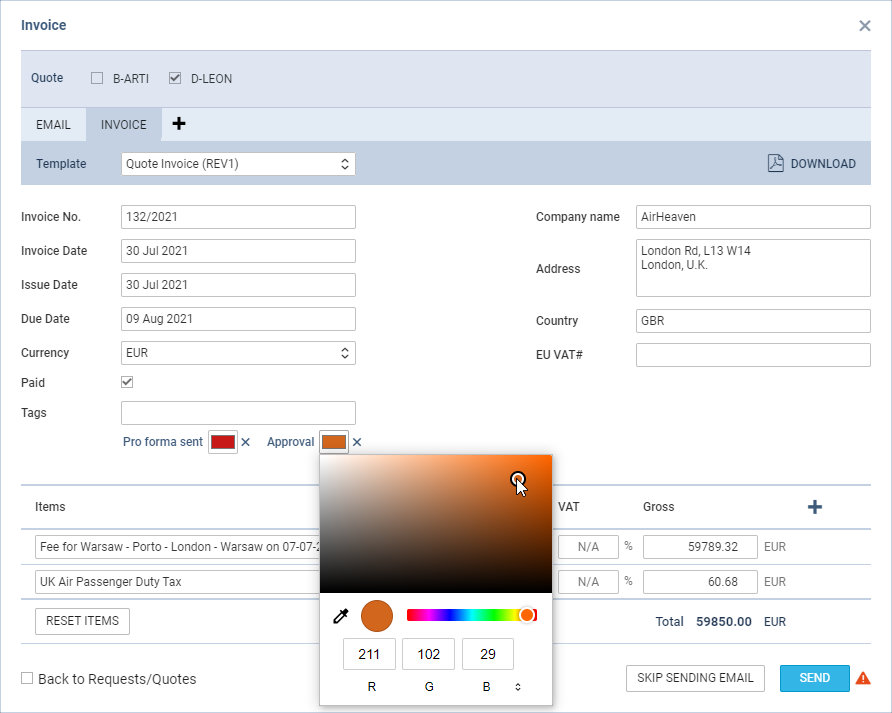
It is possible to tag an Invoice.
The option is available on the ‘Invoice’/‘Recharge invoice’/‘Credit note’.
In order to add a new tag you need to:
-
Insert the new tag name in the ‘Tags’ box and press ‘Enter’. A new tag will appear underneath the ‘Tags’ box
-
Click on the color square and select the color using the available palette
-
Sending / Saving without sending the Invoice will save the tag
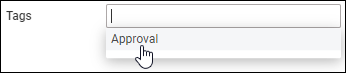
Once the tag is saved, it will be available in the dropdown list in the ‘Tags’ box.
Tags added to the Invoice are available in the Report Wizard > Scope ‘Invoices & Credit Notes’, column ‘Invoice Tags’.