

CREW APP CHECKLIST EDITION
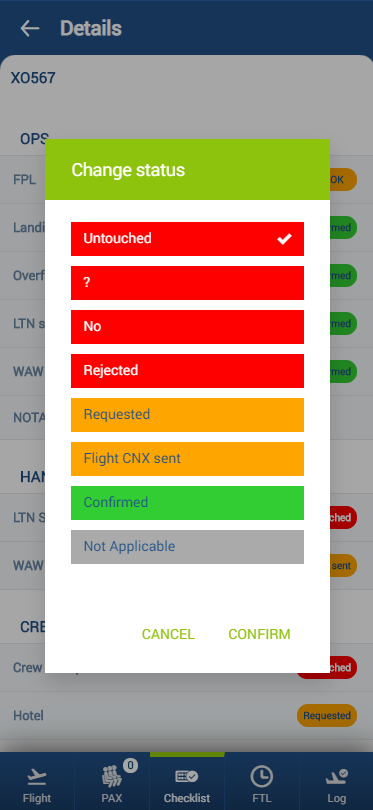
It is possible to edit the Checklist and change the statuses in the Mobile app.
In order to edit the Checklist the person has to have the following privileges switched to ‘EDIT’ status:
-
Crew App - Checklist Ops
-
Crew APP - Checklist Sales
Editing and changing the statuses of the checklist is quite simple:
-
Click on the status you‘d like to change - In the pop-up window select the new status - Select ’CONFIRM’ to save the new status or ‘CANCEL’ to ignore the changes