Mailboxes
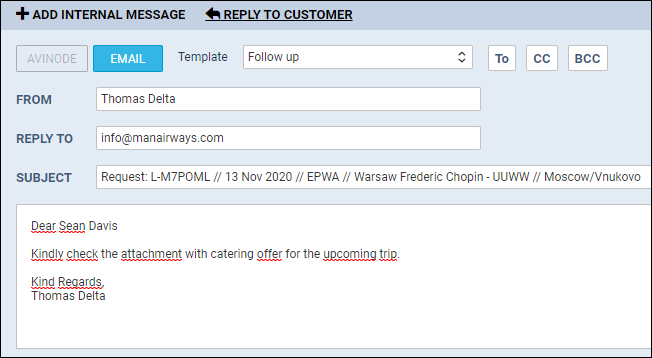
The reason behind adding this new functionality was to have access to all emails sent out from/to Sales Panel Message of the section ‘Requests/Quotes’, in folders of the user’s email mailbox (Inbox/Outbox).
SETTING UP

In a section Settings, we have added a new panel Mailboxes. Enter this panel and click 
-
Mailbox name
-
E-mail
-
SMTP configuration - SMTP host, SMTP port, Username, Password & Protocol.
-
IMAP configuration - same as above.
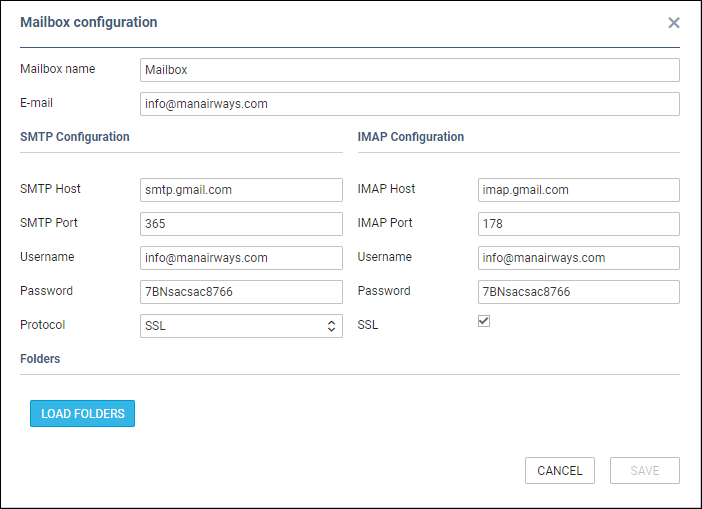
Before saving Mailbox settings, loading folders must be done - click 

If an email address added to a field Reply to defined in Email Templates > Sales Panel Message is the same as the one defined in Mailboxes panel, emails will also show in pre-defined email mailbox.