SSIM - files auto-sending
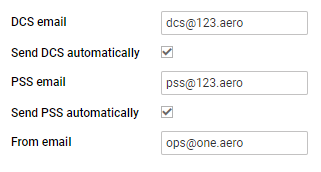
It is now possible to set up an auto-sending of SSIM files to DCS and/or PSS after each schedule change of the published flights, in a panel SCHED.
In a section SSIM of Settings panel there are 2 checkboxes: ‘Send DCS automatically’ & ‘Send PSS automatically’, which need to be marked for auto-sending of files.
There are details which need to be added to Leon to make it work:
-
Operator IATA code - defined in General Settings.
-
Aircraft IATA code - defined by Leon Support Team.
-
Virtual aircraft IATA code - defined by Leon Support Team.
-
Passenger Reservations Booking Designator (PRBD) - defined in an aircraft profile, tab Sales and in Virtual aircraft profile.
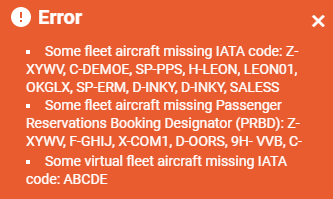
If any of the above details are missing, Leon will show a warning:
If all is set up correctly and the schedule was changed in a section SCHED (Aircraft, Flight number, STD, STA, ADEP/ADES), Leon will automatically send updated SSIM file to DCS and/or PSS.
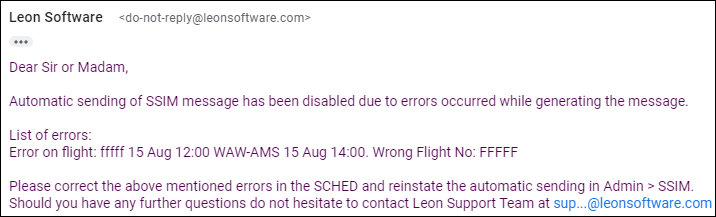
If something has not been configured correctly, Leon will send a warning in SCHED panel and an email defined in SSIM configuration (‘From email’) with the explanation, what exactly needs to be corrected (see example below).